Reports & insights
Read Revenue and other finance reports
Match dates and understand collected money, outstanding invoices and totals.
For owners1 min read
Open a report
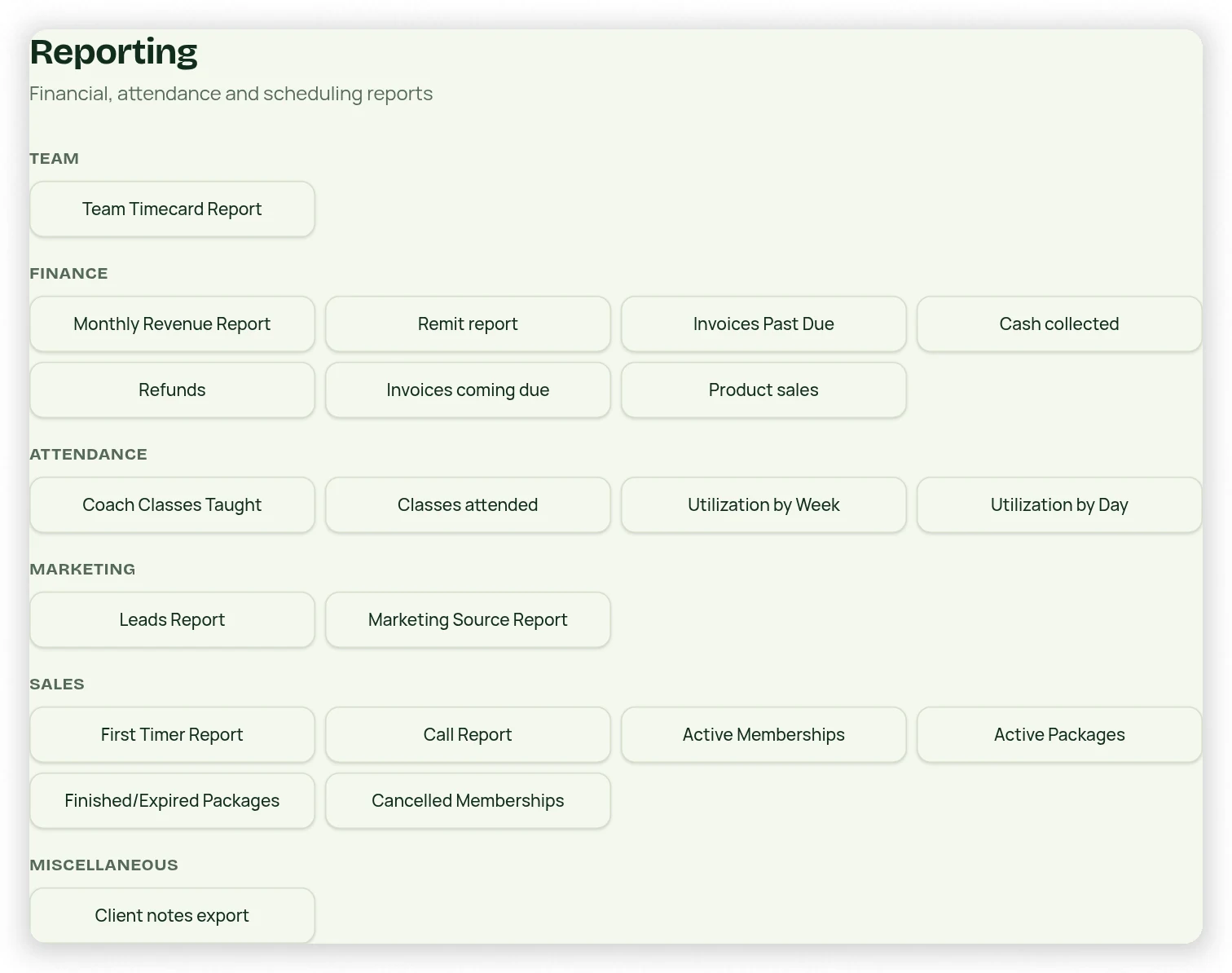
Reporting groups reports into Finance, Attendance, Marketing, Sales and Miscellaneous, with team reporting available as well. Each report opens a dedicated view with a back button, relevant summary cards and detail lines. Shaded totals sum additive numeric columns, not labels or non-additive values.
Match the reporting window
- Open Revenue Report from Reporting or a payment metric.
- Choose Day, Week to Date, Month to Date, Quarter to Date, Year to Date, Custom, or Month By Month.
- Use Full days for daily totals or All transactions for line items. Month By Month summarizes one row per month.
- Gross Revenue is receipts before refunds; Net Revenue subtracts refunds and CC Processing Fees. Fees awaiting settlement remain pending.
- Use the same dates when comparing Dashboard, Payments and exports.
- Use Back to return to the report directory.
Collected is not due
Revenue uses recorded/verified cash flows; an unpaid invoice or future recurring projection is not collected revenue. Referral credits are not fresh cash. Verified full refunds are reflected as dated cash flows. Different date windows and due-date versus payment-date filters can legitimately produce different totals.