Payments & invoices
Create invoices and download client invoice PDFs
Use custom or package invoices and find individual or bulk downloads.
For owners1 min read
Create the right invoice
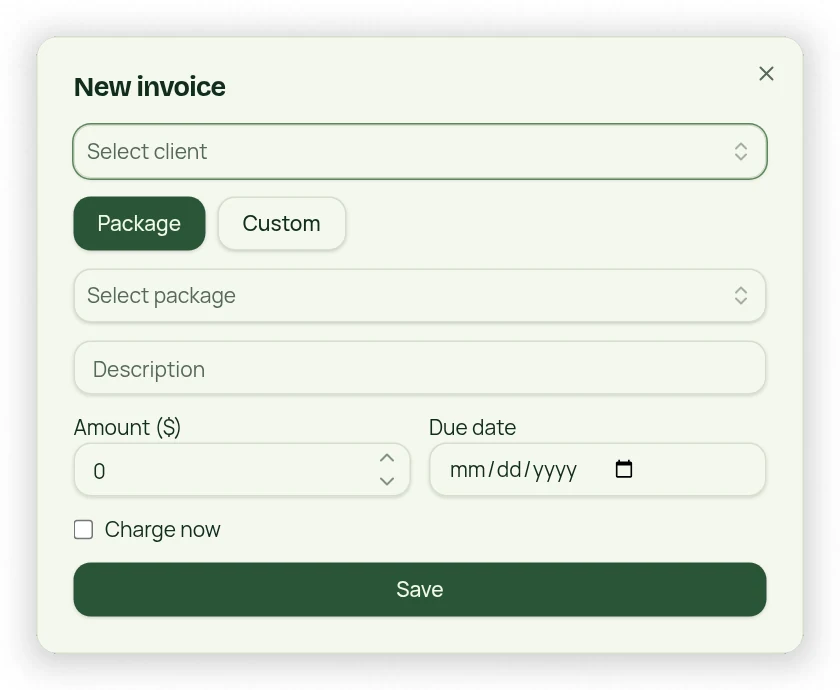
- Open Invoices and start a new invoice.
- Choose the client and a package-linked or Custom invoice.
- Review amount, description and due date; Charge now may hide the separate due-date field.
- Save or complete the selected charge workflow.
- Reopen the invoice to verify amount, status and client.
Find past-due invoices
Expand Past Due Invoices to use its date and Client/Parent filters. The default review range is 90 days. Past-due rows show days overdue. Changing the date range changes the list you are reviewing; it does not cancel older unpaid debt.
Download invoices
Expand Client Invoices to search and set the date range. Use the outlined PDF controls for one invoice or the filtered bulk set. Check the selected client and dates before sharing documents; a PDF download does not mark an invoice paid.