

Settings & branding
Connect personal email and bulk email senders
Keep one-to-one conversations separate from email campaigns.
Connect the right service
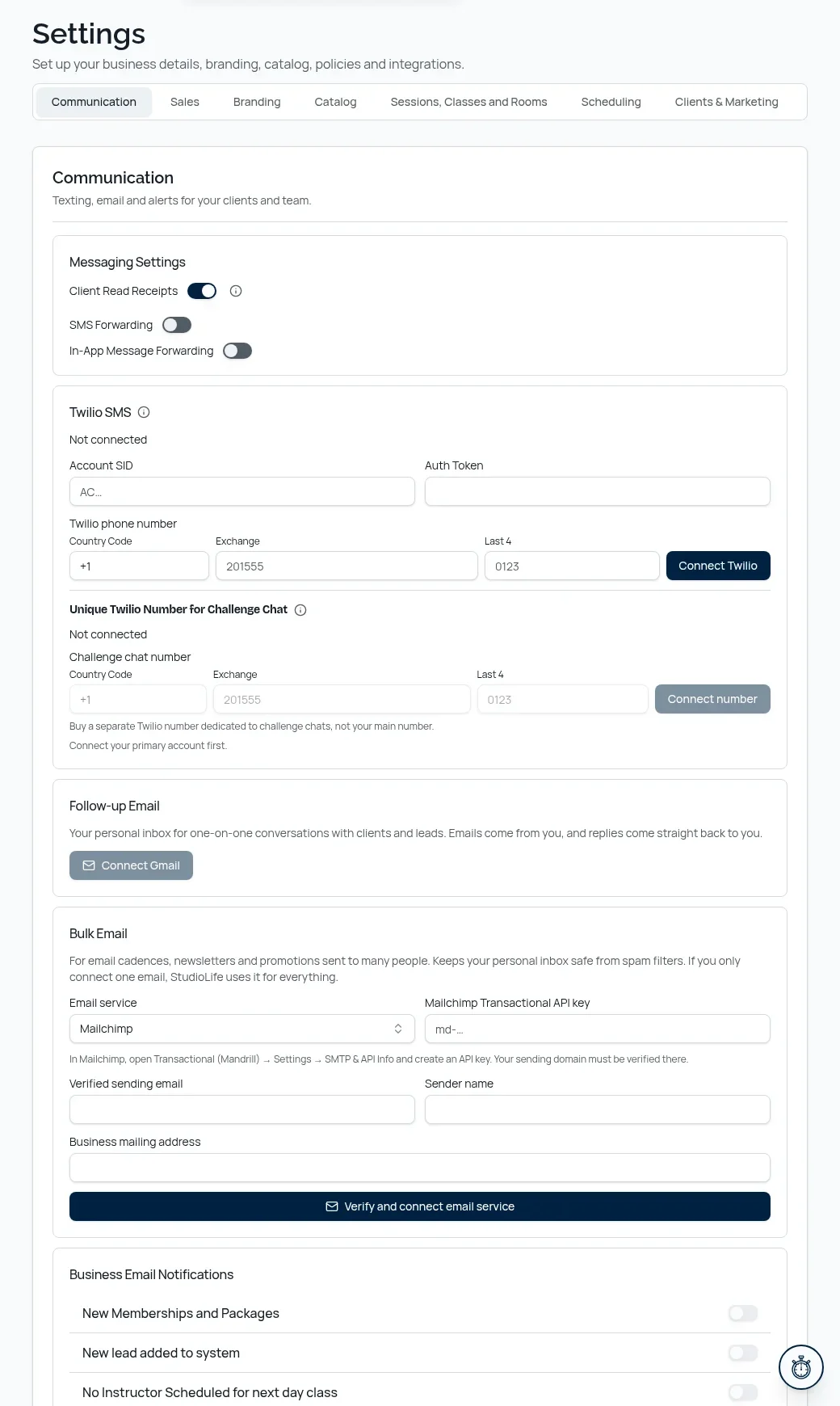
Open Settings → Communication. Follow-up Email connects Gmail for personal conversations. Bulk Email connects the supported campaign provider, sending identity and mailing address. Review the verification shown before sending.
Use the appropriate inbox
Messages has a Gmail view for eligible client and lead conversations, with replies, drafts, read state and archive. Marketing email sequences use your configured campaign sender, with the supported fallback when only one email service is connected.
Check consent and delivery
A saved draft is not a delivered email. Review the recipient and configured sender before testing; keep SMS consent and email sending requirements separate. StudioLife system notices are distinct from your own outreach account.